See it in action
Real summaries from real YouTube videos.
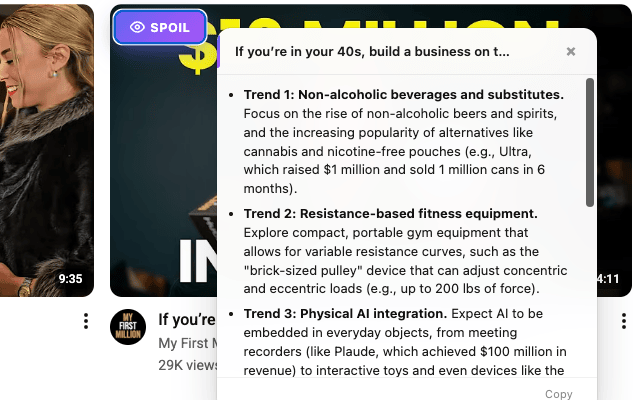
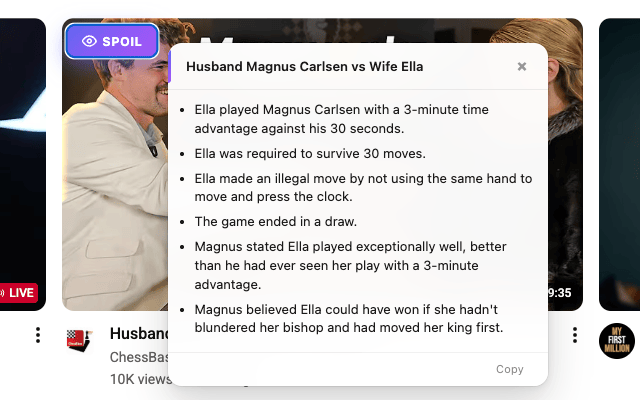
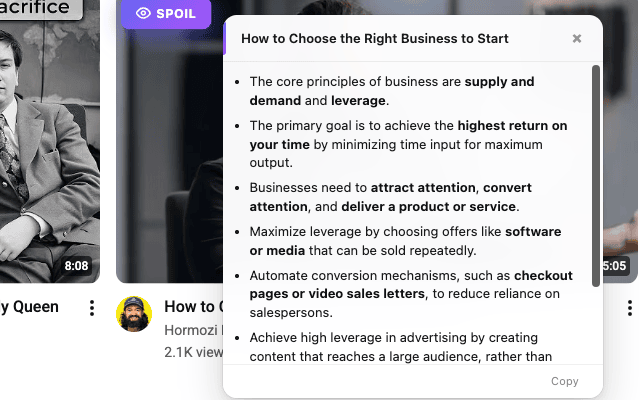
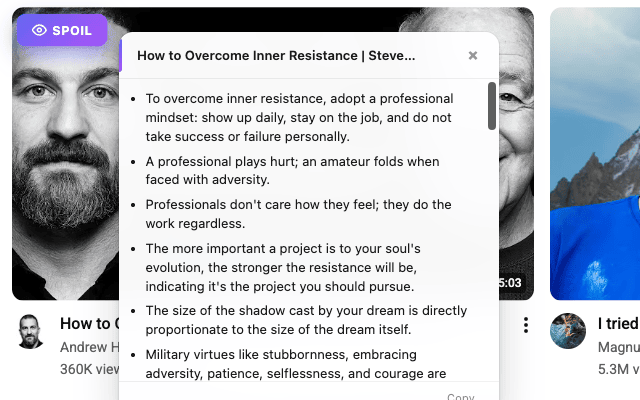
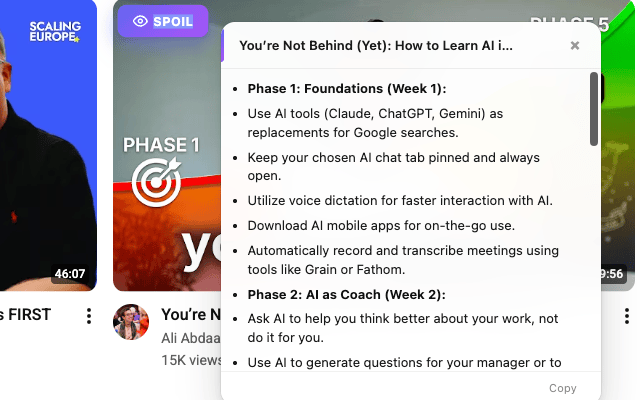
Hover over any YouTube thumbnail. Click Spoil. Get the full story in bullet points. 2 seconds flat.
Mouse over any video thumbnail on YouTube. A purple Spoil button appears.
Click it. AI reads the entire transcript and extracts what actually matters.
Watch, skip, or share. You have all the info in a few bullet points.
Real summaries from real YouTube videos.
Know exactly what's in a video before the creator wastes 10 minutes getting to the point.
Powered by Google's Gemini. Summaries stream in real-time as bullet points.
No account. No login. No personal data. We don't even know who you are.
Homepage, search, playlists, recommendations, shorts. If it's YouTube, it works.
One-click copy. Paste the summary anywhere — notes, chat, socials.
Press S to spoil, Esc to dismiss. No mouse needed.
YouTube Spoiler is a free Chrome extension that generates AI-powered bullet-point summaries of YouTube videos. Unlike other summarizers, it works directly from thumbnails — hover over any video on YouTube, click Spoil, and get the key takeaways in about 2 seconds without opening the video.
YouTube Spoiler reads the video's captions and transcript, then uses Google's Gemini AI to extract the key points into concise bullet-point summaries. The results stream in real-time directly on the YouTube page. It works on the homepage, search results, playlists, subscriptions, and channel pages.
Yes, YouTube Spoiler is completely free with no usage limits. No account, no sign-up, and no credit card required. There are no ads and no premium tier.
No. YouTube Spoiler does not collect any personal data. It does not require an account, does not track your browsing history, and does not store any information about you. Video transcripts are processed in real-time and are not stored on any server.
YouTube Spoiler can summarize any YouTube video that has captions or auto-generated subtitles available. This covers the vast majority of YouTube videos. It works on all YouTube pages including the homepage, search results, playlists, subscriptions, and channel pages.
Most YouTube summarizer extensions require you to open the video page first. YouTube Spoiler works directly from thumbnails while browsing YouTube, so you can scan and summarize multiple videos without opening any of them. It is also completely free with no account required and no data collection.
Start spoiling videos today — it's free.
Get YouTube Spoiler — It's Free